
Page 1
Studio Display XDR Technology Overview April 2026
An April 2026 technology overview of Studio Display XDR, covering its 27-inch 5K mini-LED display, 2304 local dimming zones, P3 and Adobe RGB color support, up to 2000 nits peak HDR brightness, and 120Hz refresh rate with Adaptive Sync. The document explains display architecture, Apple CMF 2026 calibration, reference modes, Thunderbolt 5 connectivity, integrated camera and audio, setup, compatibility, support, and technical specifications. It also describes medical imaging workflows and their calibration requirements, excluding mammography.
The first 5 pages, shown as text so search engines and readers can find this document.
Studio Display XDR Technology Overview April 2026
Contents Introduction 3.................................................................................................. Key Features 4................................................................................................. Display Technology Deep Dive 6..................................................................... Mini-LED Backlight System 7.................................................................................. LCD Panel 8............................................................................................................... Display Characteristics 10.............................................................................. Display Color 10........................................................................................................ Display Brightness 11............................................................................................... 120Hz Refresh Rate and Adaptive Sync 11............................................................ Medical Imaging 13.................................................................................................. Setting Up Studio Display XDR 14................................................................... Workspace Considerations 14................................................................................ Connections and Compatibility 14......................................................................... Stand and Mount Options 15.................................................................................. Using Reference Modes 16.............................................................................. Built-in Reference Modes 17................................................................................... Custom Calibration 24............................................................................................. Technical Support 25............................................................................................... Technical Specifications 26............................................................................ Studio Display XDR | Technology Overview | April 2026 2
Introduction Displays are critically important to professionals: video editors, photographers, colorists, medical specialists, and more depend on accurate front-of-screen visuals to bring their work to life. Currently, pro setups include both reference- grade displays and multiple disparate components like high-end monitors paired with video conferencing cameras and audio systems—which complicates workflows and introduces consistency challenges. Studio Display XDR redefines this paradigm, merging the precision of Apple XDR technology with an all-in-one studio solution. Featuring a 27-inch mini-LED display with 2304 independently controlled dimming zones, up to 1000 nits sustained brightness, and 2000 nits peak HDR,1 it delivers a 1,000,000:1 contrast ratio and exceptional color accuracy. The display supports both P3 wide color and Adobe RGB color gamuts within a single preset, plus includes reference modes (also known as presets) to support medical imaging workflows.2 With a 120Hz refresh rate, content in motion is smooth and responsive, and Adaptive Sync precisely matches varying frame rates for full-screen content like games. The integrated 12MP Center Stage camera with computational framing, six-speaker spatial audio system, and studio-quality microphones eliminates the need for peripheral devices. And with Thunderbolt 5 connectivity supporting high-speed accessories or daisy- chaining an additional display, Studio Display XDR empowers every professional to work with seamless precision. Studio Display XDR | Technology Overview | April 2026 3
Key Features 27-inch 5K Retina XDR display • Studio Display XDR features a 27-inch LCD display with edge-to-edge glass and 13.75 mm borders. • Mini-LED backlight with 2304 independently controlled dimming zones, enabling precise local contrast control and reduced blooming. • With a 5120-by-2880 resolution and 218 pixels per inch, Studio Display XDR delivers exceptional detail for professional workflows. P3 + Adobe RGB color gamut, 1 billion colors • Native support for both P3 wide color and Adobe RGB gamuts, delivering over a billion colors and smooth gradients for professional color accuracy. Extreme Dynamic Range • Extreme Dynamic Range takes brightness and contrast to a new level, for images that are truer to life than ever. • Up to 1000 nits of full-screen brightness for SDR content in bright conditions and 2000 nits peak HDR brightness, with advanced thermal management to maintain performance during extended use. • A contrast ratio of 1,000,000:1 ensures exceptional detail in both bright highlights and deep shadows. Superwide viewing angle • An Apple-designed, industry-leading polarizer technology maintains color accuracy and contrast for a large viewing angle, ideal for collaborative environments. Reference modes • Industry-standard reference modes, including cinematic standards, photography, print and design, DICOM medical imaging, and dual-gamut workflows—with optimizations for faster preset switching.2 120Hz refresh rate and Adaptive Sync • 120Hz refresh rate for fast and fluid response time. • Adaptive Sync for precise control of frame delivery with full-screen content like gaming when the frame rate varies. • User-selectable optimization—prioritize low latency for creative workloads or higher temporal quality for cinematic playback. Studio Display XDR | Technology Overview | April 2026 4
Thunderbolt 5 connectivity • Studio Display XDR connects seamlessly to Mac with the included Thunderbolt 5 Pro cable. Connect up to four with certain Mac configurations. • A second downstream port for high-speed peripherals and daisy-chaining, alongside single-cable host connectivity with 140W power delivery. Nano-texture glass option • Standard glass with antireflective coating provides extremely low reflectance. For less-controlled lighting conditions, an innovative nano-texture glass option scatters light while maintaining color and contrast. Integrated 12MP Center Stage camera • Computational video processing delivers automatic framing and Desk View mode for professional video conferencing, with precise color reproduction. Professional audio system • Six-speaker spatial audio system with Dolby Atmos support and studio-grade microphone array for crystal-clear sound capture in any environment. Cohesive Studio Display design • Studio Display XDR has a stunning design, made to pair perfectly next to Studio Display, ideal for professional workflows that use multiple displays. Studio Display XDR | Technology Overview | April 2026 5
Doxxly editorial guide
This guide helps you understand the scope of Studio Display XDR: Technology Overview before or alongside reading the original document. It is based on the catalogue record, credited creator, source, classification and topics shown on this page. It does not replace the original work and does not invent claims about passages that Doxxly cannot verify.
Studio Display XDR: Technology Overview is a 26-page documentcredited to Juno S. Oakfield. An April 2026 technology overview of Studio Display XDR, covering its 27-inch 5K mini-LED display, 2304 local dimming zones, P3 and Adobe RGB color support, up to 2000 nits peak HDR brightness, and 120Hz refresh rate with Adaptive Sync. The document explains display architecture, Apple CMF 2026 calibration, reference modes, Thunderbolt 5 connectivity, integrated camera and audio, setup, compatibility, support, and technical specifications. It also describes medical imaging workflows and their calibration requirements, excluding mammography. It appears in the Technology & Security collection, which groups it with other material that readers may use for comparison and further study.
The item can be approached in several ways. A reader looking for a quick orientation can begin with the free five-page preview, inspect the page structure and use the metadata to judge relevance. Someone undertaking deeper research can work through the complete file, search its indexed text, record useful page references and compare its treatment of Studio Display XDR, Technology Overview, Professional Displays, Mini-LED, 5K, HDR, Color Calibration, Reference Modes, Adaptive Sync, Thunderbolt 5, Medical Imaging with the related resources linked below.
Rather than reducing the work to a single claim, this page treats it as a source that should be read in context. The title, creator, publication source, licence and format all help explain what kind of evidence it may offer. Readers should distinguish the original author's statements from Doxxly's catalogue description, and should cite the original edition when using the material in academic, professional or published work.
The catalogue connects this document with Studio Display XDR, Technology Overview, Professional Displays, Mini-LED, 5K, HDR, Color Calibration, Reference Modes, Adaptive Sync, Thunderbolt 5, Medical Imaging. These terms offer practical entry points rather than a substitute for close reading. Start by identifying the definitions, examples, arguments, tables or visual explanations attached to each topic. Then note where the creator draws connections, makes distinctions or moves from background material to a conclusion, recommendation, calculation or narrative development.
A useful reading method is to separate description from interpretation. First record what the item actually presents: names, headings, figures, formulas, quotations or stated propositions. Next consider why those details matter within the whole work. Finally compare them with another source from the same subject area. This process helps turn a long digital file into evidence that can be evaluated rather than merely skimmed.
The following is an editorial content guide based on the verified catalogue topics. It is not represented as the original author's formal table of contents. Use it to organise notes while moving through the 26 pages in the player.
Use this section of the reading guide to identify how Studio Display XDR appears in Studio Display XDR: Technology Overview, note important terms, and connect the subject to the wider purpose of the work.
Use this section of the reading guide to identify how Technology Overview appears in Studio Display XDR: Technology Overview, note important terms, and connect the subject to the wider purpose of the work.
Use this section of the reading guide to identify how Professional Displays appears in Studio Display XDR: Technology Overview, note important terms, and connect the subject to the wider purpose of the work.
Use this section of the reading guide to identify how Mini-LED appears in Studio Display XDR: Technology Overview, note important terms, and connect the subject to the wider purpose of the work.
Use this section of the reading guide to identify how 5K appears in Studio Display XDR: Technology Overview, note important terms, and connect the subject to the wider purpose of the work.
Use this section of the reading guide to identify how HDR appears in Studio Display XDR: Technology Overview, note important terms, and connect the subject to the wider purpose of the work.
Use this section of the reading guide to identify how Color Calibration appears in Studio Display XDR: Technology Overview, note important terms, and connect the subject to the wider purpose of the work.
Use this section of the reading guide to identify how Reference Modes appears in Studio Display XDR: Technology Overview, note important terms, and connect the subject to the wider purpose of the work.
When a heading in the original differs from this guide, follow the original heading in your citation. Page numbers can also vary between editions. Doxxly's direct page field is useful for navigation, but formal references should include the title, creator, source and edition details available in the file itself.
Doxxly credits Juno S. Oakfield as the author or creator of Studio Display XDR: Technology Overview. This page does not add an unverified biography, job title or institutional affiliation. The attribution is preserved so readers can distinguish the creator from the hosting library and follow the original record when an external author link is available.
Author context matters because a work reflects a particular purpose, audience and point of view. Before relying on the material, consider what the creator set out to explain, when the source was produced and whether later research or revised guidance should also be consulted. For literature and philosophy, compare translations and editions; for technical material, check whether a newer version has superseded the one shown here.
The recorded source for this item is apple.com. Doxxly provides access and discovery tools but does not claim to be the original publisher unless explicitly stated. Source links, creator attribution and the recorded Publicly available file collected for editorial review licence are displayed to help readers assess provenance and permitted use.
Provenance is especially important for reports, standards, presentations and working spreadsheets. Check the original source for amendments, supporting files and current policy. A trustworthy research workflow keeps the source URL with any notes or downloaded copy, verifies important figures against the original, and avoids treating an archived document as automatically current.
Visit apple.comBegin with the title and opening pages, then use the guide above to decide whether to read sequentially or move to a particular topic. The Doxxly player provides previous and next navigation, a direct page field, zoom steps, fit-to-width and fit-to-page modes, rotation and fullscreen. These controls are useful when a page contains small type, a wide table, an image, a scanned layout or a dense sequence of notes.
The first five pages are open to every visitor. A plan unlocks the complete item and full-document search. Search is best used for distinctive names, technical terms or short phrases; broad words can produce too many possible contexts. When you find a useful passage, read the surrounding pages so that a sentence, chart or formula is not separated from its explanation.
If downloading is enabled, members can obtain the original PDF file. Keep the original format when formulas, slide sequencing, pagination or layout carries meaning. Respect the Publicly available file collected for editorial review terms displayed on this page, and use the rights-report link if you believe the attribution or availability needs review.
As you read Studio Display XDR: Technology Overview, ask which audience the creator addresses, what problem or idea organises the work, what evidence is presented, and which assumptions remain unstated. Note whether important terms are defined consistently and whether examples represent a broader pattern or a narrow case. For quantitative material, record units, time periods, formulas and data sources. For interpretive material, separate the creator's language from your own summary.
A second set of questions concerns relevance today. Which parts remain durable, which depend on their historical or institutional setting, and what would need confirmation from a newer source? Following the tags and the Technology & Security collection can reveal useful comparisons. Agreement between sources can strengthen confidence, while disagreement can point to changing definitions, methods, evidence or priorities.
Finally, decide what you need from the item: background knowledge, a quotation, a worked example, a model, a visual explanation or a starting bibliography. That purpose should guide the depth of reading and the notes you keep. Doxxly helps locate and navigate the source; careful interpretation remains the reader's responsibility.
Practical answers about reading, downloading and understanding this document on Doxxly.

National Institute of Standards and Technology

National Institute of Standards and Technology
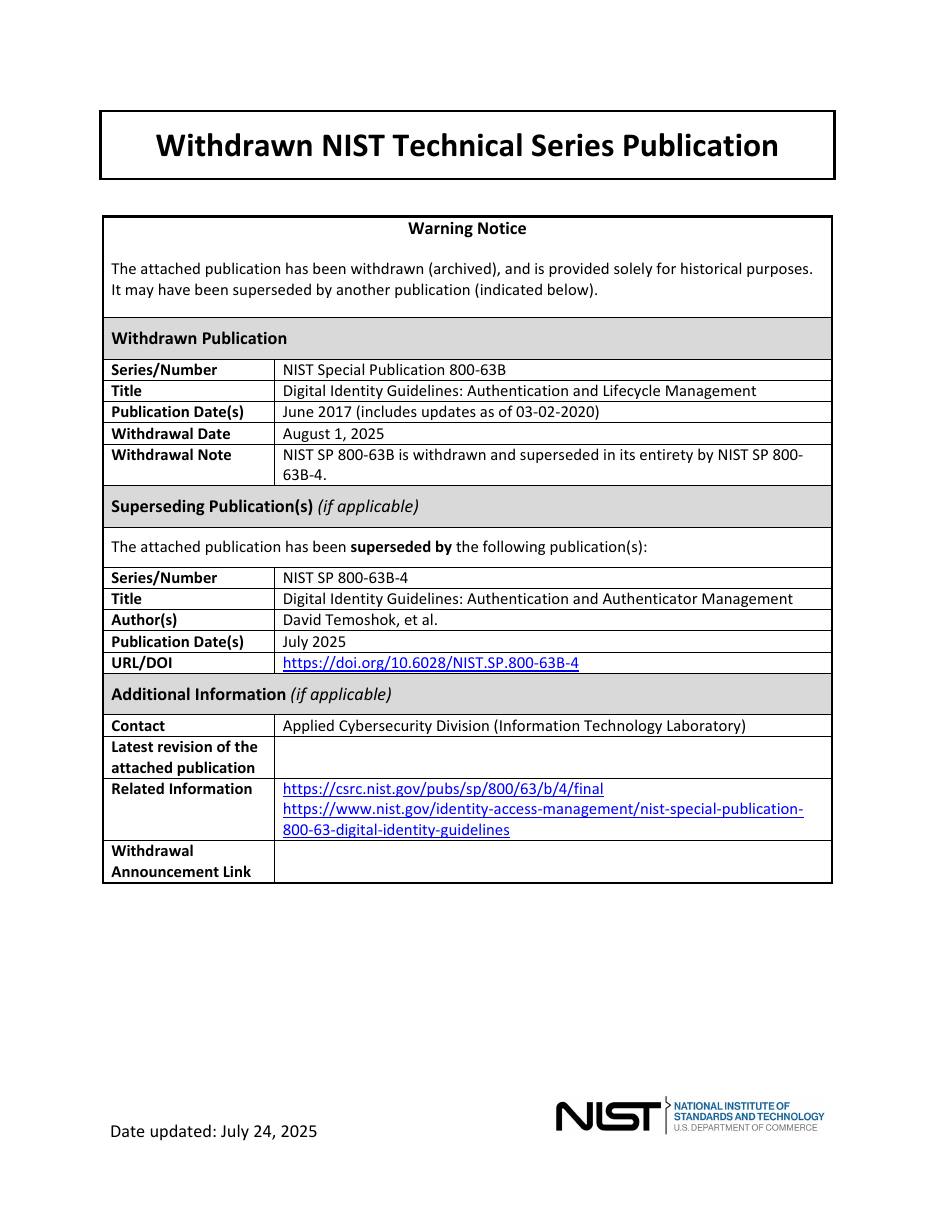
National Institute of Standards and Technology

National Institute of Standards and Technology

National Institute of Standards and Technology

National Institute of Standards and Technology